How to add stickers to an IG story
October 20, 2026 · instapv.com.co
How to add stickers to an IG story. Stickers live in the story editor, after you have a photo or a video on the canvas and before you tap share. They are not a separate app. Open Instagram, start a story, take the frame or pick one from the camera roll, then look for the sticker icon. It is usually a square face near the top of the editor. Tap it and a tray opens. The tray changes as Instagram adds tools, but the way you place a sticker stays the same: choose one, it lands on the frame, and you drag it where it should sit.
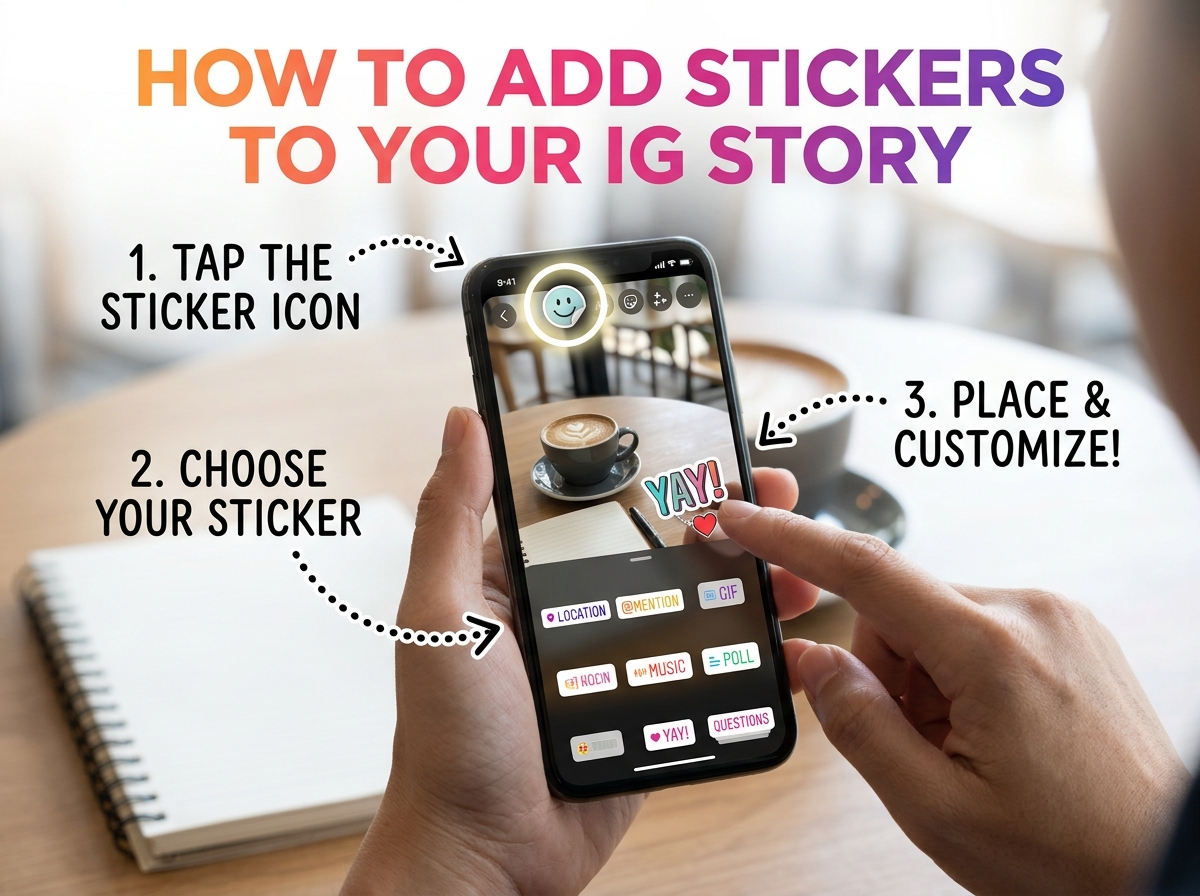
Mentions, places, and music
Mention stickers tag an account. Search the username in the sticker, pick the right person, and place the sticker where it can be read. They get a notice that you mentioned them, and viewers can tap through to their profile. Mention someone only if you mean to notify them. A joke tag is still a notification. Location stickers pin a place. They can also let people browse other stories that used the same place. Music stickers attach a track Instagram has licensed for that feature. If a song is missing, it is not cleared for the sticker, and uploading the audio from your files is not the same tool.
Polls, quizzes, question boxes, emoji sliders, and countdown stickers invite a tap. Put them where a thumb can reach, and leave the subject of the photo visible. A poll that covers a face makes people answer without knowing what they are looking at. Add one interactive sticker rather than four. Stories are tapped through quickly. One question is enough. GIF and emoji stickers are decoration. They do not notify anyone. Use them after the mention and the location, so the functional stickers are not crowded off the safe area.
Link stickers
The link sticker is the one that depends on your account. Instagram has offered it more widely than the old requirement of ten thousand followers, but the editor on your phone is the proof. If the tray has a link sticker, tap it, paste a full address you control, and place it. If the tray does not show a link, the account cannot add one yet. Do not paste the address as a mention, and do not believe a third-party app that says it will unlock the sticker. Type in the story is not tappable as a link. Only the link sticker is.
Resize with a pinch. Rotate with two fingers if the tray allows it. Delete a sticker by dragging it to the bin the editor shows, which is often at the bottom while you hold it. Then look at the preview with the username and the reply field in mind. Those bars cover the top and the bottom. A sticker parked in the bottom corner disappears behind the reply button on someone else’s phone. Move it up. The same is true of captions. Contrast matters. White text on a bright sky does not survive a sunny frame. The editor’s text backgrounds exist for that reason.
After the story is posted
When the story is posted, the stickers are part of the public frame if the audience is public. Someone looking up the username can see them on the live story, including on instapv.com.co, for about a day. The tile is the frame you published, stickers included. A download saves that image or video. It does not give the downloader your sticker tray, and it does not let them edit the mention after the fact. If a sticker is wrong, delete the story from your archive and post a corrected frame. You cannot peel one sticker off a live story and leave the rest.
Close friends changes who sees the stickers, not how you add them. Set the audience in the editor before you share. A mention on a close-friends story still notifies the person you tagged. A location on a public story can place you on a map other people browse. Add those on purpose. A decorative GIF has a smaller consequence than a location you did not mean to share.
The habit that keeps stories readable is short. One photo, one mention or one link, one line of text, and empty space around the subject. Open the sticker tray, place the sticker in the middle band of the screen, preview, then share. If you need the frame later, save it to a highlight before the day ends. The stickers you placed are the ones people will tap, so they should be the ones you meant to publish.