How to mute someone’s story on IG
October 18, 2026 · instapv.com.co
How to mute someone’s story on IG. Muting someone’s stories hides their ring from your tray. You stay a follower, their posts can still appear in your feed if you did not mute those too, and they are not notified that you muted them. It is the quiet setting. Unfollowing is public in the sense that you leave their follower count. Blocking cuts the relationship off. Restrict limits how their comments and messages reach you. Mute is narrower: it cleans the tray, or the feed, without a message to them.
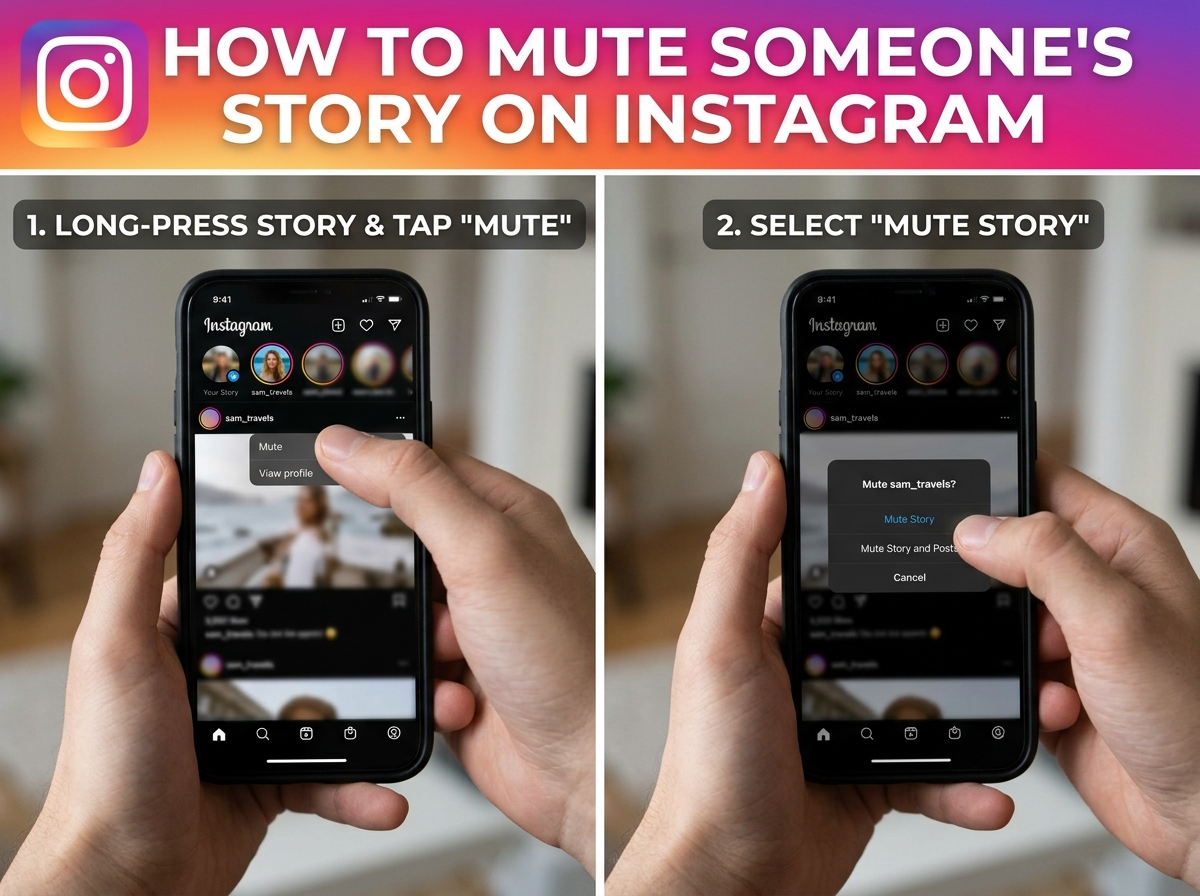
Where the control sits
The control sits on their profile and, often, on the story itself. Open their profile while you are logged in to your account. Tap Following, or the menu that lists how you follow them. You should see separate switches for muting stories and muting posts. Turn on stories if you only want the ring gone. Leave posts unmuted if you still want the grid in your feed. Confirm, then go back to home. Their circle should drop out of the tray. Instagram sometimes keeps a story you have already started watching until you leave it. The next time you open the tray, the ring should be gone.
From a story you are watching, tap the menu, often three dots, and look for mute. That path is faster when the ring is already on screen. It mutes from the moment you confirm. It does not delete their story, and it does not remove you from their viewer list for frames you already watched. Frames you do not open after the mute are frames you do not add yourself to. They can still see that you viewed older frames in the window, because those views already happened.
What the other person sees
They do not get a mute alert. People sometimes notice a pattern, because you stop appearing in new viewer lists, and they guess. The app does not send “this person muted you.” Do not promise yourself perfect secrecy if you also stop liking their posts. The setting itself is silent. If you need them not to see your stories either, mute is the wrong tool. You would use close friends for your own posts, or remove them as a follower, which is a different decision and a visible one if they look at their list.
Mute is not global. It applies to the account you are logged in to. A second account on the same phone still has its own tray. It also does not hide their profile when you visit it on purpose. You can still open their page and tap a live ring. The tray is what got quieter, not the whole app. A public viewer works the same way. instapv.com.co does not use your follow list, so a mute in your app does not change a search here. If you type their username, a public story can still appear, because the story is public and the page is not your tray. Use the viewer when you want a single lookup. Use mute when you want the daily ring to stop.
Turn mute off
To undo it, return to their profile, open Following, and clear the mute. The ring can return on the next story they post. You do not get the frames you missed; those expired on the normal clock of about a day. Highlights they saved are still on the profile either way, because highlights are not the tray.
Choose mute over block when you still want the account in your network and you only dislike the stories. Choose restrict when comments are the problem. Choose block when you do not want contact. Choosing unfollow when you only meant to mute is how people start awkward conversations. Read the label on the switch. Stories and posts are listed separately for a reason.
A clean setup is a tray of rings you actually open, a feed you still recognize, and no notice sent to the person whose stories you hid. Set the mute, check home once, and leave their profile. If you later need to see a public frame without putting your account on the viewer list, search the username on instapv.com.co instead of turning the mute off for a day. The mute can stay. The lookup does not sign in.