How to repost a story on Instagram
November 4, 2026 · instapv.com.co
How to repost a story on Instagram. Reposting a story means placing someone else’s frame, or a post they published, onto your own story so your followers can see it. Instagram only offers that path when the original account has allowed sharing, or when you are sharing your own post. If the share button is missing, the person turned sharing off, or the frame is not eligible. Do not work around a missing button by recording the screen and uploading a copy. That sidesteps the choice they already made, and it can break the rules of both the app and copyright.
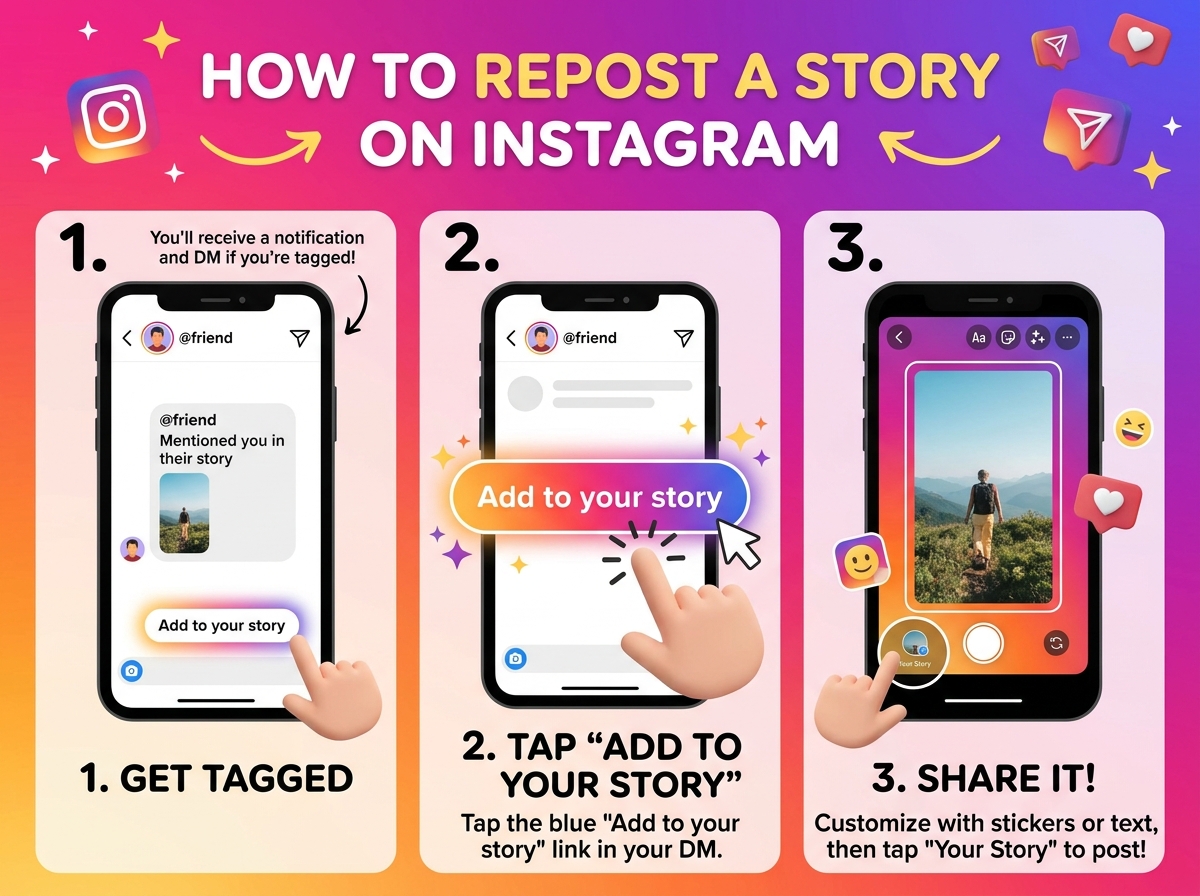
Share from inside the app
The clean path starts inside the app while you are logged in to your own account. Open the story or the post you want to share. Look for the paper plane or the share icon. If you see “Add to story” or a similar share-to-story action, tap it. Instagram builds a sticker that credits the original account and drops it on a new story canvas. You can drag the sticker, pinch it, and add a short line of your own text. When it looks right, choose your audience and post. Your followers then see their frame with the credit still attached. Tapping the credit usually opens the original profile.
Some posts use a remix, a collage, or an “add yours” sticker that invites a reply story. Those are built for reposting. The template is the invitation. Follow the sticker’s prompt, add your take, and post. Mentions work the other way: if someone mentions you in their story, you may get a message that lets you add their frame to your story. That prompt is permission for that frame. If you never receive it, do not assume you can rebuild the story by hand.
Repost from your archive
Your own archive is the other common case. Open your story archive, pick a frame you posted before, and add it again or move it to a highlight. Reposting your own frame is not a problem of credit. It is still a new live story if you post it to the tray, and it will expire on the usual schedule unless you also keep it as a highlight. Check the audience. A frame you once shared with close friends should not go back out as a public story unless you mean to widen that audience.
What you should not do is download a stranger’s story and upload it as if you made it. A download button on a public viewer, including the tiles on instapv.com.co, saves a file to your device for your own reference. It does not grant a license to republish the file, to crop off a watermark, or to drop it on your story without the creator. If you want to share their work, ask, or use the share action the app already shows. Brands and photographers notice uncredited copies, and a public story is a public copy.
Check a partner's story
If you are checking whether a partner posted the frame you asked them to share, you can look at their public story without using your login. Search the username on instapv.com.co, read the tiles, and match the time under the download. That tells you the frame is live. It is not a substitute for the in-app share sticker, and it does not press “repost” for you. The repost still happens in your own Instagram app, with your account, on purpose.
A short checklist keeps the repost honest. Confirm the share action is visible. Keep the credit sticker. Add only the words you mean. Pick public or close friends on purpose. Post once. If the share action is absent, stop and ask the person for a frame they are willing to share. That conversation is slower than a screen recording, and it is the one that leaves both accounts in a clean state.
After you post, the new story follows the same clock as any other story. It stays up for about a day, it can be deleted from your archive, and it can be saved to a highlight. People who view it inside the app may appear on your viewer list. People who only looked at the original account through a public page did not repost anything. Reposting is an action you take in the app, with the tools Instagram shows, and with permission you can point to.