How to search filter on IG story
October 26, 2026 · instapv.com.co
How to search filter on IG story. The story tray is not a search engine. You cannot type a keyword and pull every public story on Instagram that mentioned it, the way you might search a web index. What you can do is narrow the tray you already have, tap stickers that act like filters, or go straight to one account by username. Knowing which of those you mean saves a long scroll through circles that were never going to match.
What the story tray can do
Inside the official app, the tray at the top of home is mostly people you follow, plus suggested stories. Favorites, if you have set them, can surface first. Close Friends is a filter on the way out, when you post, and a ring you see when someone has put you on their list. Muted stories leave the tray without unfollowing the account. If the tray feels noisy, mute stories for accounts you still want on the feed. That is the filter most people actually need, and it is in the app under the account’s following menu or from the story’s own menu. It does not notify them.
Stickers are the search-like layer on a single story. A location sticker can open other stories that used the same place, when Instagram shows that tray. A hashtag sticker, a music sticker, or a topic sticker can do the same for that tag or track. You tap the sticker on a story you are already watching. You do not get a master box that queries every story ever posted. Those trays are still Instagram’s, they change, and they only include stories the authors chose to tag. A story with no location sticker will not appear in a location tray.
Find one account
To find one person, use search for the account, not a story filter. Tap search, type the username, open the profile, and tap their ring if they have a live story. If there is no ring, they have nothing in the current window. That path uses your login, so if you watch the story in the app you can be counted as a viewer. If you want the public frames without that login, use the username field on instapv.com.co. Submit the handle. The live stories, when they exist, show three in a row, each with a time. That is a filter of one account, which is the honest scope of a public lookup.
There is no public filter for “stories posted in the last hour by people I do not follow in this city” that a website can run without Instagram’s own trays. Pages that promise that kind of global story search are overselling. You can search a username. You can tap a sticker Instagram attached. You can mute, favorite, or keep close friends. You cannot demand a sorted dump of everyone’s stories by keyword from a tool that never signs in.
Camera filters are different
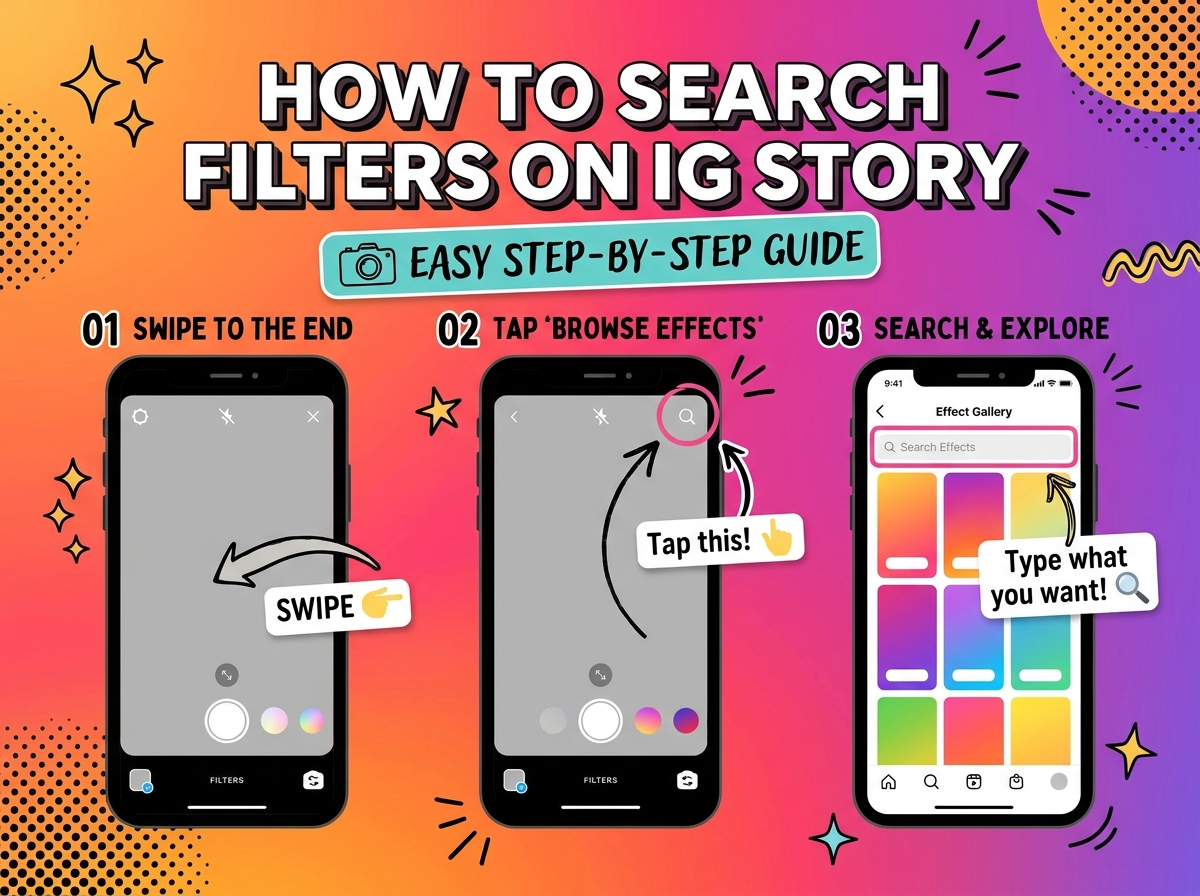
On your own story, filters mean something else: the face filters and effects in the camera. Those change the picture before you post. They are not a way to search other people’s stories. Open the story camera, swipe through effects, and record. The effect is burned into the frame you share. It does not tag the story into a secret searchable index beyond the stickers you add on purpose.
A useful routine is short. Mute the accounts whose stories you never watch. Keep favorites for the few rings you want first. When you need a place or a song, tap the sticker on a story that already has it. When you need one public account, search the username here or in the app. Read the time under each tile so you are looking at the frame from today, not assuming the tray is a library. Stories leave after about a day. A filter cannot bring back a frame that has already expired, and a highlight on their profile is a separate circle they chose to keep.
If the story you want is private or close-friends only, no search box will open it. The filter in that case is their follower list, and you are either on it or you are not. Respect that. Search the public username, look at what is actually live, and leave the rest closed.